Mouldflow price estimator
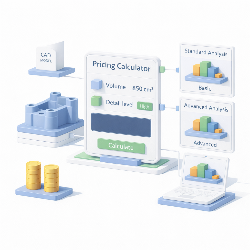
Fast price indication based on volume, complexity, simulation type and DOE.
1. Define the basic scope
Which simulation level should I choose?
Fill: Use for an early CAD review when the main question is whether the cavity can fill and where weld lines or air traps may occur.
Fill + Pack: Use when wall thickness, gate design, pressure, sink marks or voids must be evaluated.
Full: Use before tooling or tolerance approval when cooling, shrinkage, flatness or final deformation matters.
2. Select the conditions visible in the CAD
Tick an item only when the description matches the part or its functional requirements. Hover or focus the text for an explanation.
Optional optimisation
When should I add DOE?
DOE compares several combinations automatically.
Add DOE when you want to compare different process settings or find a more stable solution.
Leave DOE off when you only need to check the current design once.
- 16 cases: Quick comparison.
- 32 cases: Broader comparison.
- 64 cases: Detailed optimisation.
Additional information for the enquiry
All fields are optional. The estimate and selected complexity drivers are added automatically.
When the email opens, manually attach the CAD file, material data sheet and any relevant drawings.
Open email enquiryThis uses your device's standard email handler. Depending on your settings, it may open Outlook, Gmail or another mail application. Attach the CAD model and material data sheet after the draft opens.
Cancel
Disclaimer – Price Estimator
This price estimator provides a preliminary indication based on typical project parameters such as volume, complexity, simulation type, and DOE scope.
All results are indicative and intended for budgeting and comparison purposes only. The final project price may vary depending on several factors, including but not limited to:
-CAD quality and level of detail
-Material selection and data availability
-Project scope and required deliverables
-Design changes during the project
-Simulation complexity beyond initial assumptions
The estimator does not constitute a binding quotation or offer. A formal proposal will be provided upon detailed review of the project data.

© 2017 - Present, BÖHME ApS. All Rights Reserved.